Placing furniture
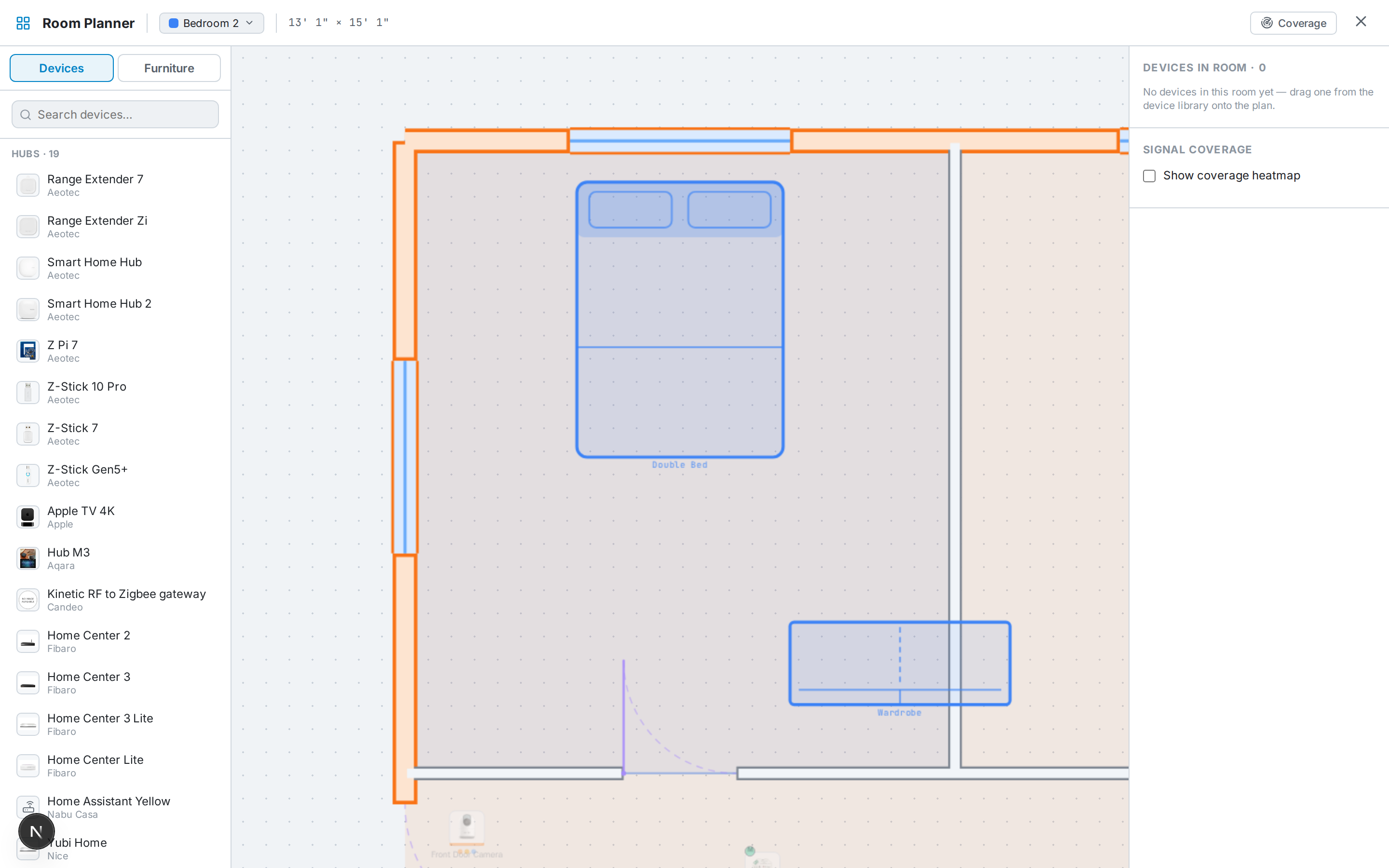
Furniture makes a plan readable and gives the 3D walkthrough context. Open the furniture palette and drag pieces onto the plan — beds, sofas, tables, storage, bathroom and kitchen fittings, desks, and more.
Each piece is sized to real dimensions. Drag to move, and use the rotate handle to turn it. In the 3D view furniture appears as recognisable shapes (a bed with a headboard, a sofa with a backrest, tables with legs), positioned and rotated to match your 2D layout.
Furniture is saved per floor, so each storey keeps its own arrangement.