
Link plan devices
A link says “this device on the plan is that device in Home Assistant”. Linked devices show their measured signal, and a later import skips them rather than placing them twice.
Link a whole floor
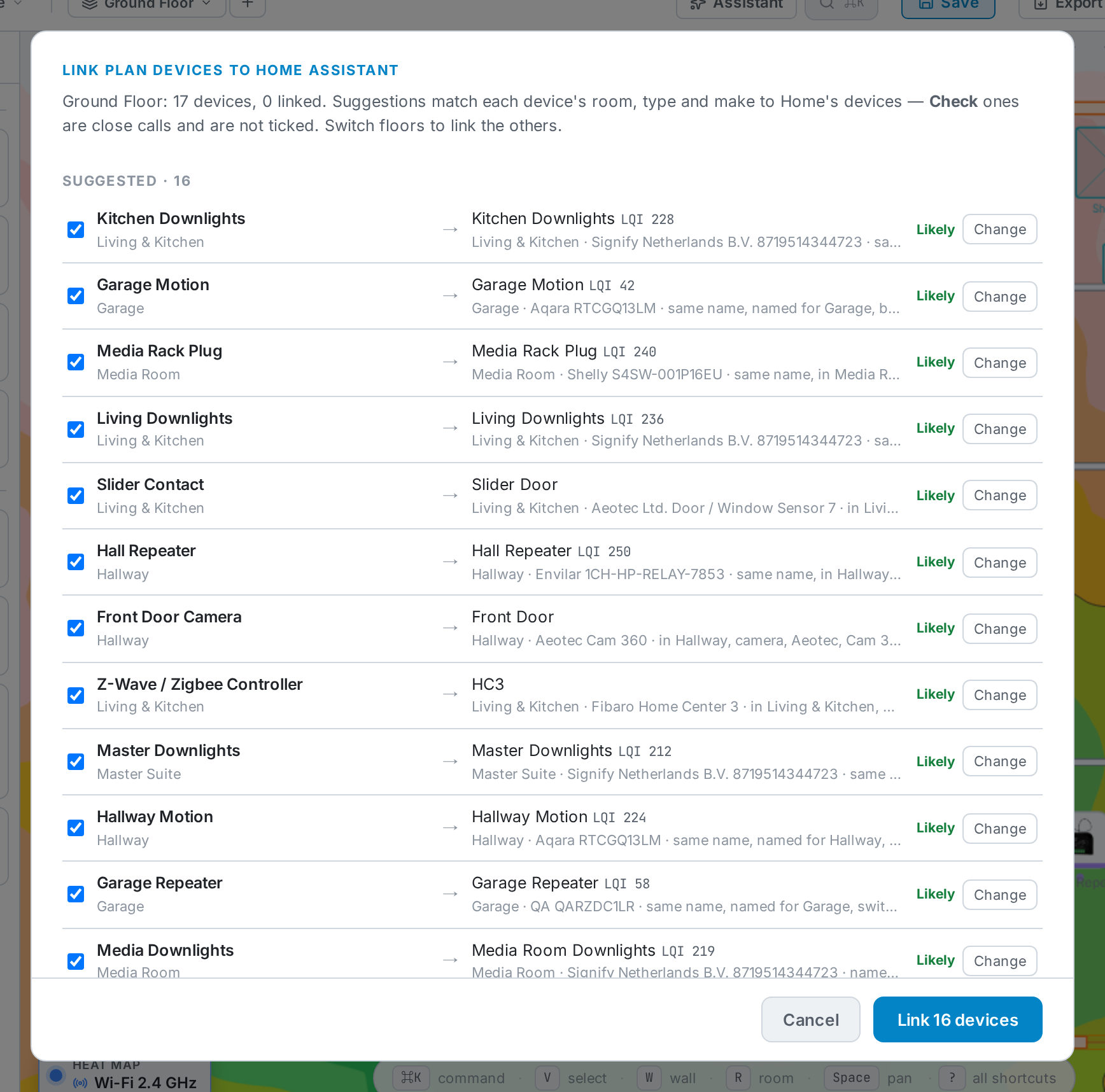
Section titled “Link a whole floor”Planners → Home Assistant → Link plan devices suggests a Home Assistant device for every unlinked device on the current floor, matching on room, type, make and name.
-
Likely matches are ticked. Check marks a close call — it isn’t ticked until you look.
-
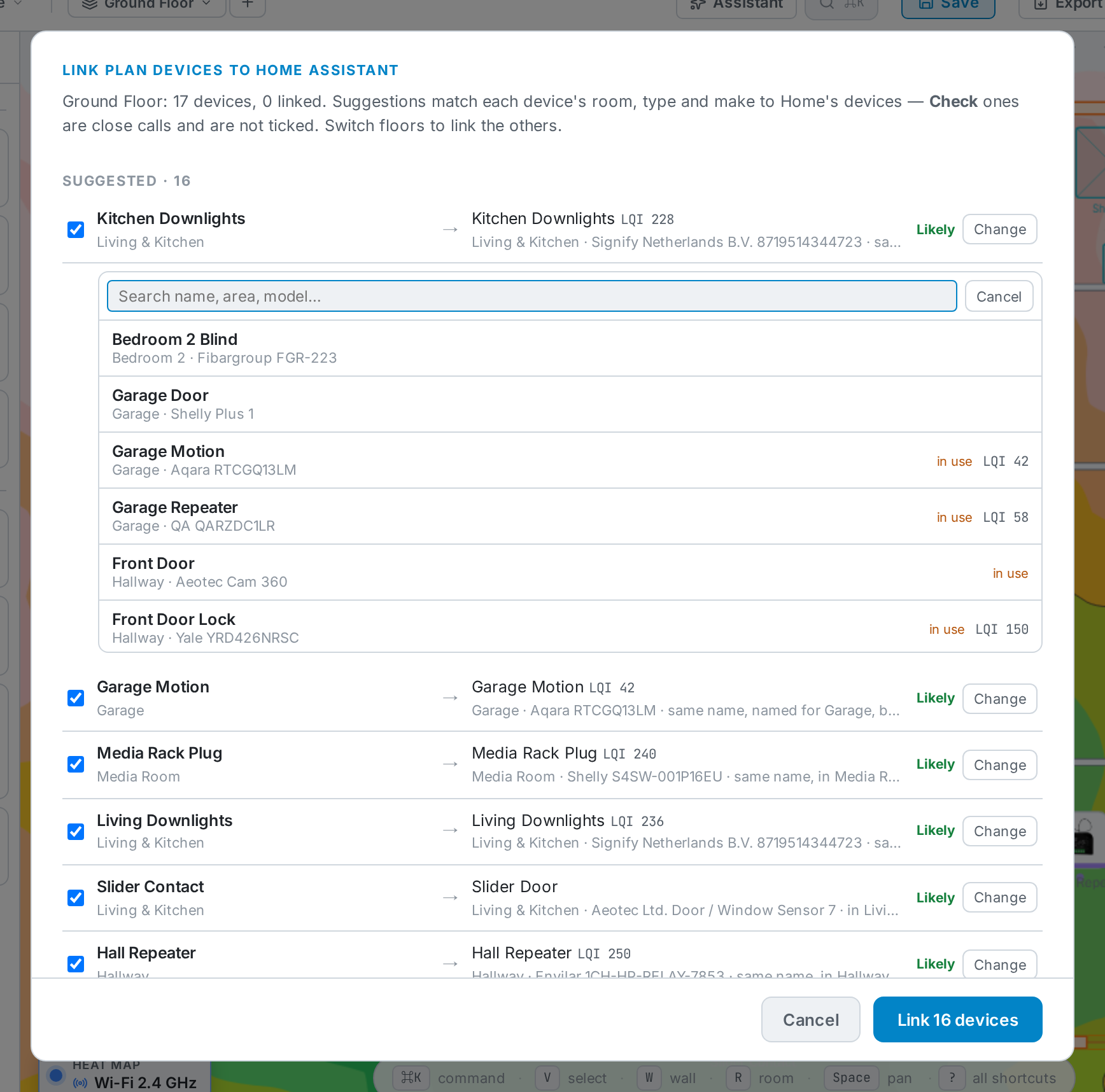
Change picks a different device. Search by name, area or model. A device marked in use is already linked to, or chosen for, another device on the plan.
-
Link n devices saves the ticked ones.
Switch floors to link the devices on each floor.
Link one device
Section titled “Link one device”Select a device on the plan. In its properties, under Home Assistant, choose Choose a Home Assistant device, or Change / Unlink an existing link.
Without a connected Home Assistant you can still type an entity id (for example
binary_sensor.hall_motion). It is saved with the device and included when you
export the plan.
Mount height
Section titled “Mount height”A device’s Height above floor (under Mount (3D) in its properties) places it in 3D and is exported with the plan. Leave it empty to use the mount type’s default; Reset clears it. See Connection & mount.