
Measured signal
NexusPlan’s coverage is a prediction: distance, walls and each wall’s signal loss. Once devices are linked, the signal readings Home Assistant already collects show whether the prediction matches the house.
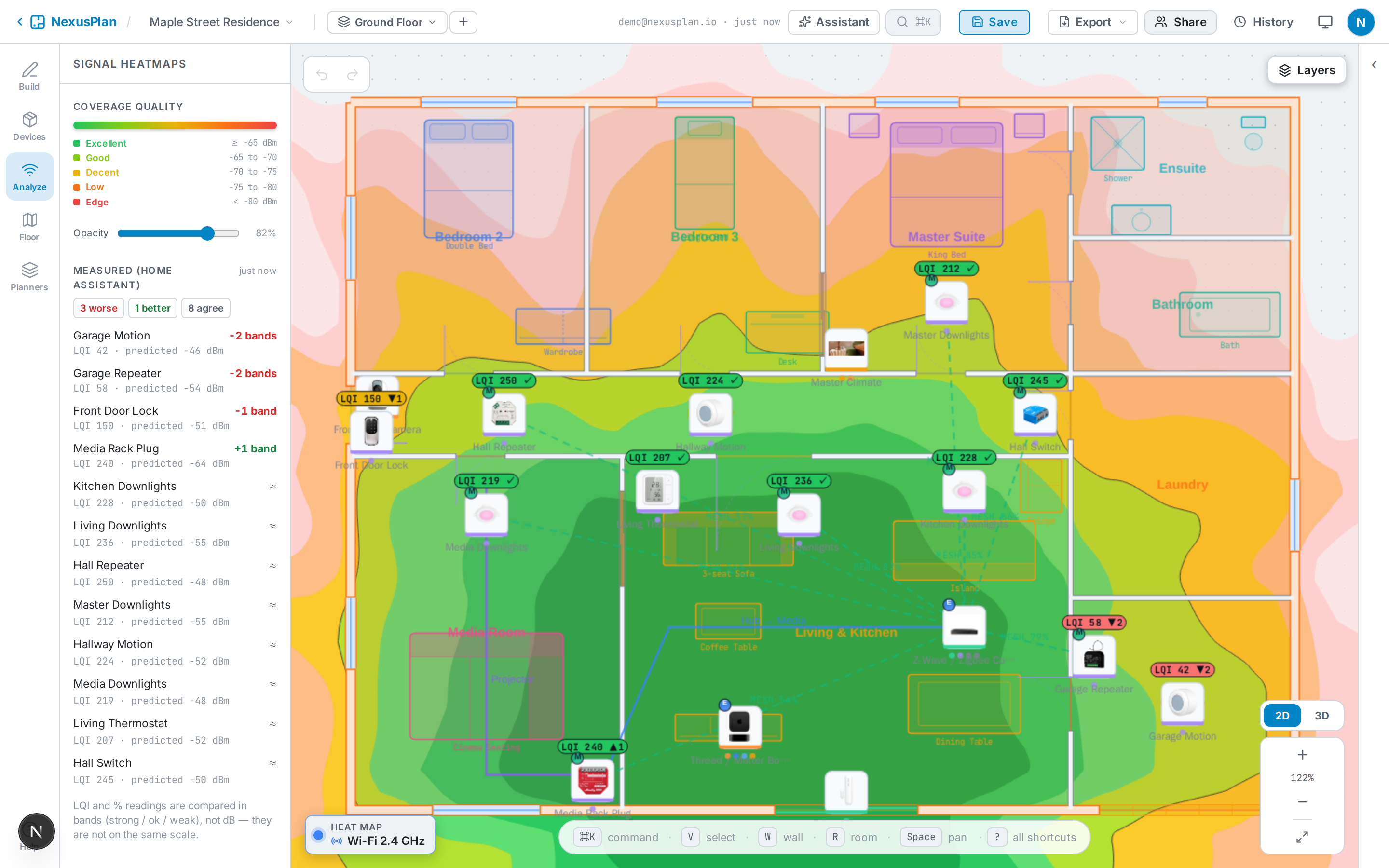
On the plan
Section titled “On the plan”Each linked device that reports a reading shows a small tag: the reading, and how it compares with the prediction — ✓ agrees, ▲ better than predicted, ▼ worse, with the number of bands or dB. Toggle them with Layers → Measured signal (Home Assistant).
Readings older than 20 minutes are dimmed.
In the Analyze panel
Section titled “In the Analyze panel”Analyze → Measured (Home Assistant) lists every linked device with a reading, worst first. Click one to select it on the plan.
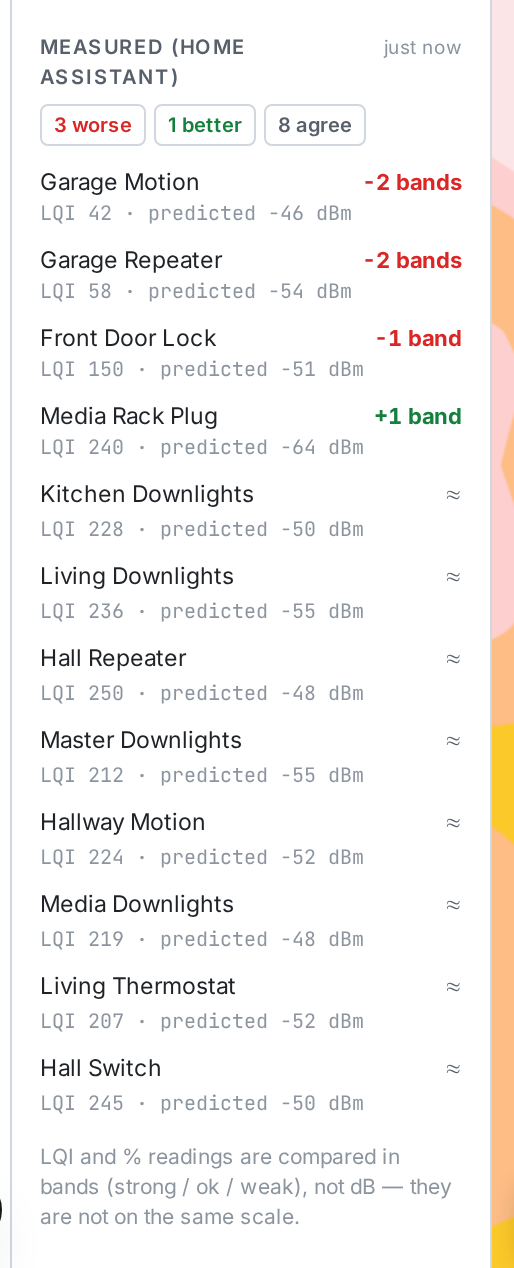
How readings are compared
Section titled “How readings are compared”The prediction for each device is its best link to a same-protocol source on the plan — a Wi-Fi access point, or a Zigbee or Thread router or hub — through the walls between.
- dBm readings (Wi-Fi, Bluetooth) are compared in dB. Within 6 dB counts as agreeing.
- Zigbee LQI and % readings are not dBm — LQI’s scale depends on the coordinator’s radio — so they are compared in coarse bands: strong, ok and weak.
If the floor has no access point, router or hub to predict from, the panel says what to place.
Calibrate walls
Section titled “Calibrate walls”When measured dB readings disagree with the prediction, NexusPlan shares the difference across the walls each link crosses. A wall gets a suggestion only when at least two links through it disagree the same way — one link could be a device in a metal box; two is a pattern.
Suggestions appear under Calibrate walls: the wall’s current loss, the suggested loss, Show to find the wall and Apply to set it. Applying changes that wall’s Signal loss (see Walls, doors & windows), and the heatmap updates.
Only dB readings are used for calibration; LQI is too coarse.
No readings?
Section titled “No readings?”- Zigbee2MQTT publishes
linkqualitysensors by default. - ZHA has LQI and RSSI sensors, but they are disabled by default. Enable them on each device in Home Assistant (the entity’s settings → Enabled).
- Wi-Fi devices report signal strength only if their integration creates a signal-strength
sensor — ESPHome’s
wifi_signalsensor, for example. Some integrations create it disabled; enable it the same way.