
Home Assistant
NexusPlan plans a smart home; Home Assistant runs it. The NexusPlan integration for Home Assistant connects the two, so a plan can check itself against the real house:
- Link the devices on your plan to the devices in Home Assistant.
- See measured signal — the Zigbee and Wi-Fi readings your radios report — beside what NexusPlan predicted, and correct the walls where they disagree.
- Import your floors, areas and devices from Home Assistant to start a plan, or export a plan as spatial context for Home Assistant and AI agents.
- See the plan in Home Assistant’s sidebar.
Home Assistant features are included on every plan, Free included.
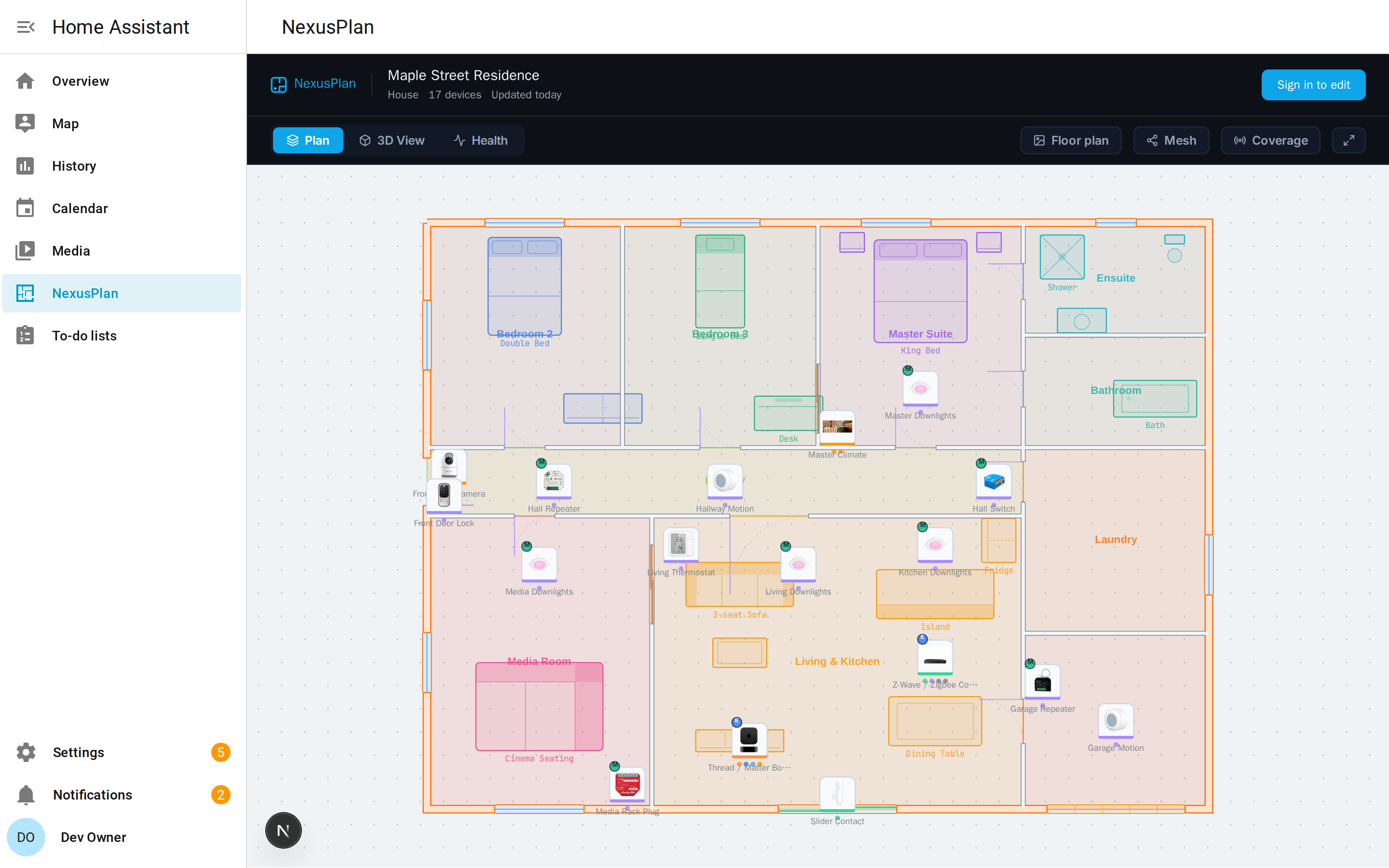
What the integration shares
Section titled “What the integration shares”The integration only reads. It never controls a device, calls a service or changes anything in Home Assistant.
It sends your NexusPlan project:
- floors and areas;
- devices — name, manufacturer, model, area, and which integration they come from;
- the entities that stand for physical things — their id, type and name, not their state;
- radio readings your radio integrations already create: Zigbee2MQTT
linkquality, ZHAlqi, and Wi-Fi and Bluetooth signal-strength sensors.
It sends nothing about people, zones or locations, and no other entity states or history.
Home Assistant connects out to NexusPlan over HTTPS. NexusPlan never connects in and holds no password or token for your Home Assistant, so it works with a Home Assistant that is only on your home network — no remote access needed.
Requirements
Section titled “Requirements”- Home Assistant 2025.3 or newer.
- A NexusPlan account. Any plan.
In this section
Section titled “In this section”- Connect Home Assistant — install the integration and pair it with a project.
- Link plan devices — tell NexusPlan which Home Assistant device each plan device is.
- Measured signal — real readings against the prediction, and wall calibration.
- Import & export — start a plan from Home Assistant, or hand a plan to it.